
EP.33

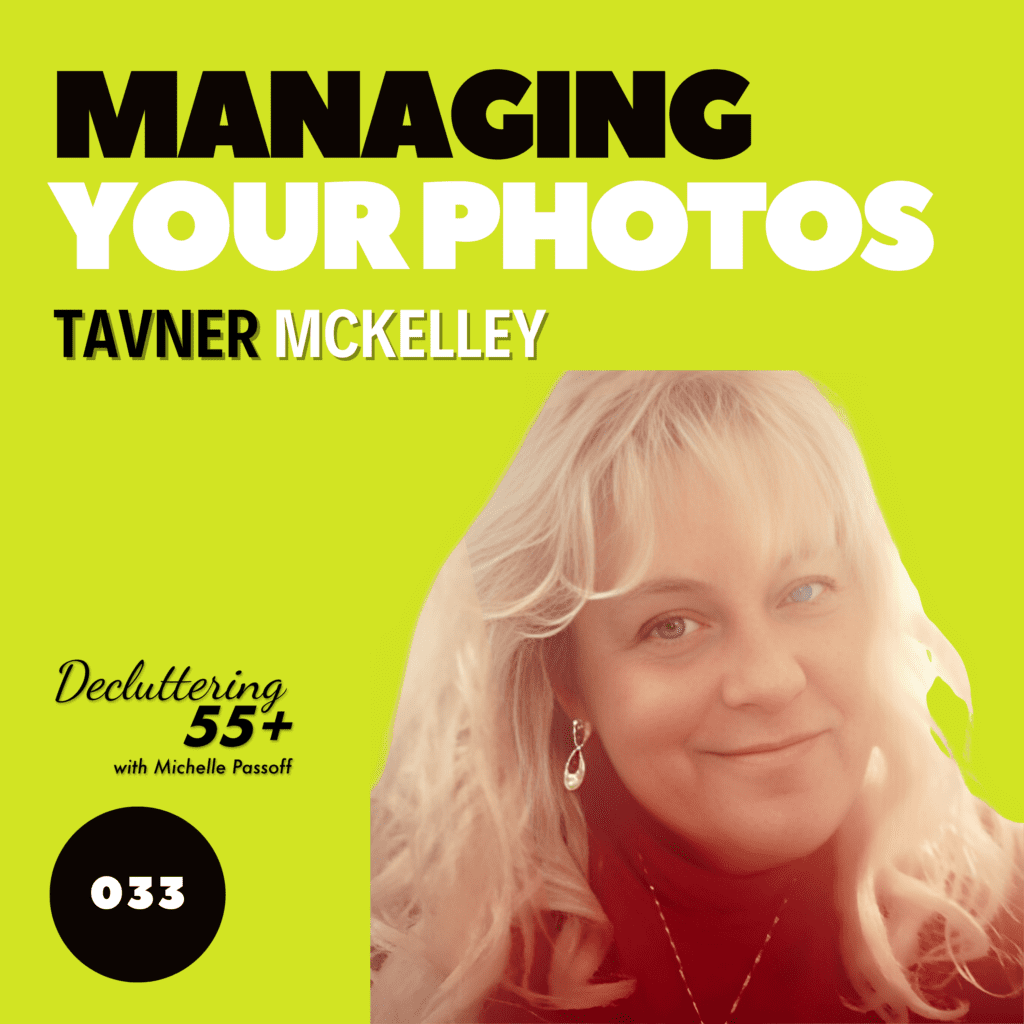
Photo Management with Tavner McKelley

There are about 1,000 Photo Managers nationwide who are trained and certified to help save, preserve, and share your photos.

Summary

Decluttering 55 Plus with Michelle Passoff explores how decluttering, especially of photos, is crucial life management. Michelle interviews Tavener McKell, a professional photo manager and owner of Memory Lane Designs, who explains how photo managers help organize, preserve, and transform both physical and digital photo collections into lasting, meaningful archives. Tavener shares when it’s time to hire help, the costs involved, and best practices for preparing your photos. With technology rapidly changing and digital photos at risk of loss, photo managers ensure memories are safeguarded for future generations by using professional tools, organizing systems, and creative expertise. The key message: Don’t wait—start preserving your legacy now before memories are lost.

Picture of Michelle Passoff

Michelle Passoff

Host of the Decluttering 55+ podcast and author of LIGHTEN UP: Free Yourself from Clutter.

More Posts

Ep33

Photo Management with Tavner McKelley

02/28/2025  - Podcast Transcript

Managing Your Photos with Tavern McKelley

Michelle (00:00)

Welcome to Decluttering 55 Plus with Michelle Passoff. This is the place to come for news you can use to get things done. Everybody knows that too much stuff is clutter and cleaning it makes you neater and tidier. To us, it is a life management tool that helps you navigate your next steps. This is what my book Lighten Up, Free Yourself from Clutter is all about. As Baby Boomers, we have a lot in front of us that is confounding and confronting.

So we sweep things under the carpet and put them off another day or forever. That is clutter because it keeps us stuck. And my new book addresses all of that. So we’re going to bring experts, authors, and authorities here to talk with us about health, relationships, technology, finance, housing. What are you going to do next in life, passing down your life stories, and even the challenges of making final arrangements. Here we aim to learn.

open new possibilities, choose, take action and create a legacy, not a mess. So let’s get started. Even in the age of digital everything, there’s still the need to file some papers. Today, I’m going to chat about that with my esteemed guest and good friend, Cueva. Anne has long been the owner of custom organ of custom organizing. She’s the author of the book, Grief Without Chaos, Organization for Emergencies and Death, which is

about getting all kinds of documents in order, just in case. She’s a certified paper tiger expert and a productive environment expert. She has also been certified as a before I go solutions facilitator. Lots of credentials there, Anne. As some of you already know, like Anne, I’m a clutter consultant and author of the book, Lightmap for Yourself from Clutter. Anne has one system of filing papers and I have another. So even though we have differing systems,

Our objectives are the same. Get your hands on what you need when you need it without skipping a beat. Life doesn’t have to stop just because you need to get your hands on an important document. So let’s talk about that today with Anne. Welcome, Anne Cueva.

Ann (02:39)

⁓ thank you. I am so happy to be here. I know that paperwork is not everyone’s favorite subject to talk about. But I think between the two of us, we have good tips that will help people be able to tackle that. And like you said, it’s what good is any piece of paper you have if you can’t find it?

Michelle (02:57)

So that’s our goal. know that you make a promise of being able to get your hands on what you need when you need it even faster than I do. I say if you’re more than three steps away from your piece of paper, you don’t have it. Now you say you can get your hands on your paper faster. Is that right?

Ann (03:14)

Right, and that’s because mine is a program that is on the computer. so it’s just a, it’s a file, we call it a filing, a finding system instead of a filing system.

Michelle (03:25)

Well, that’s fine.

So why don’t we take our time and go step by step through your system of filing papers ⁓ and see how that works and give a really concise description so people can take the time of course to jot that down you guys out there get your papers and pens so you could see now how how it’s filed if you can’t take it all down while we’re in this conversation and

Do you have this information somewhere people can reclaim it after this conversation?

Ann (03:59)

Yes, I do. They can go visit my website, which is timeisthekey.com.

Michelle (04:03)

That’s www time is the key.com. So listen in, see how and files. And if you miss anything, you can go to our website and catch up. So, we’re going to put up some graphics as we go along to hopefully, ⁓ that will help. go, go at it. Tell us your system.

Ann (04:21)

Right, I will. It’s called Taming the Paper Tiger and I have been using this software for almost 20 years. ⁓ It is the ⁓ easiest and best and least inexpensive ⁓ tool that I have ever used to find paperwork and their guarantee is that once you’ve entered your data, you can find what you’re looking for in five seconds or less.

Michelle (04:45)

Okay folks, this is a competition. I say three steps. if you can’t your paper in three steps, now if you can go three steps of five seconds, then I beat you. go ahead, keep going.

Ann (04:59)

And again, one thing I love about that is, again, the main goal is that you can find that piece of paper. So being able to find it in three steps is pretty good. I like, I do like your system. So.

Michelle (05:08)

One way or the other.

on

the top of your desk. It is not the system, right?

Ann (05:15)

Oh, no, no, no, no. Matter of fact, one thing what I love about when I would go into offices and help people with their paperwork, I tell people, they say, oh, I’m going to clean up before you come. And I say, no, you don’t have to do that. Because as we file the papers, we’re going to do our sorting at the same time. We use the acronym of FAT for file, act, or toss. Those are the only three questions you need to ask yourself on a piece of paper.

Otherwise we get hung up on the emotional side of it because paperwork, let’s face it, it’s boring and it’s very emotional and it makes us face things sometimes we don’t want to face. So if you can remember when you pick up a piece of paper, do I file this? Do I act on it or can I toss it? And on the toss question, which is what people hang, they get hung up with the paperwork is if I throw this piece of paper away today and I need it tomorrow, does someone else have it? So that will help people do that. what, it works.

Michelle (06:07)

day and age of backups.

Ann (06:10)

So yes, yes, or yes, or or let’s say the bank say your bank statements people You know, they’ll file their bank statements and if they decide they don’t want to get the paper anymore The bank will have that copy of that bank statement. So that’s something you don’t really need to keep so ⁓ But anyway, what you do is it that it’s a numbering system which just throws everybody for a loop until they go when they make about ten entries and I have them do a search for a paper something we’ve already filed then the light bulb goes on and

Now the beauty of this system is you don’t have to file alphabetically. because what happens is, you, when you do a search for, let’s say your automobile. Now when people file for their things for their car, they can file it under car, automobile, the Alexis, the dealer name. You know, there’s five different ways you can name an automobile. Well, being the human beings that we are, three months ago, we may have put our information under the title car.

three months later we come and we’re looking for our car under the Lexus. looking for what it is ago. I know I had this file. well, I’ll start another one. When you end up with four, three or four different files for the same document and it just becomes a mess. Well, paper tiger will stop you when you do a search. It will tell you, wait a minute, you already have a file name for this. So that stops the repeating of making files. So are you

Michelle (07:33)

Are you talking about this numbering system? Are you talking a place where you’re going to put your physical files and then there’s a relationship with an online component or is it all online?

Ann (07:45)

Right. It’s all online. But no, you do have a physical filing system. And I believe there was a slide, it’ll show you instead of tabs on a file folder like we have, or a hanging file folder, it says, like we have reference files. And those are the files you’re going to keep to refer back to. So it’s the reference one, two, three, four, five, six, seven, so on. so let’s just say, for example, because you don’t have to remember any numbers. The number is what the beauty of it is. If I need something, okay, let’s say I have 80 files.

reference 80 files and I want my information on my car. Well, I can just type in car and in five seconds or less, it’ll pop up and tell me that it’s in reference number seven.

Michelle (08:24)

I

see. So you paper, you have a, you have hanging files and tabs in a physical folder and you have it numerically in order from one to 80. And where do you, how do you know where to put your car file?

Ann (08:42)

That’s the computer will tell you like when you go to start a new file, you click on new and it comes up and it tells you the next available number. So you don’t have to.

Michelle (08:50)

So it’s going to be in relationship with your computer and on your computer you have what program is it what is it? is that? So you go to Taming the tiger file and when you go to that website, what’s gonna happen next?

Ann (08:58)

taming the paper tiger. The paper tiger.

Okay, actually the website is going to be the paper tiger dot com. Okay. And then it will give you all the information there. It’s very inexpensive. You can download it instantly and it not only does your physical filing, but also your digital as well. They have a digital tiger that is in so you can scan a PDF and it works in relation with Google drive.

Michelle (09:33)

That’s

convenient. So it’ll tell you what reference number to put that physical paper in your physical file. And then to go retrieve it, you’d go to your computer and ⁓ kind of do the paper title, whatever the equivalent of search is in the paper title for car. And it will tell you which reference number to retrieve that paper from.

Ann (10:01)

Absolutely, yes. and another one of another feature I absolutely love about this is as you’re creating your filing system in the upper right corner, I would write R dash seven. And that tells me so let’s say I pull my my paper, my car papers out and I’m talking to someone, I don’t have to go back into my computer to find out where I put it back. I just look in that corner, it says R seven, and we drop it back in R seven. The best feature I think though is that you get a

printed file index that comes out in alphabetical order. And I tell people the only time you really need to use this is if you’re, if say you your computer down for the night and you need something late in the night or early in the morning, or if your wifi isn’t working and you can’t get on the computer. You have a alphabetical filing system that will tell you what number your papers are in.

Michelle (10:51)

And what is the relationship between, so you have these, reference numbers and your physical papers are in those files. Then you have a way to search for which file it’s in on your computer. You have the printed out version, which is a backup to the electronic version. Should anything happen to your computer? what is the, how does that all relate to your digital files?

Ann (11:17)

Okay, and that’s another great question because people want to go paperless. So as long as you can scan and make it scan it as a PDF, it goes right into Google Docs. Now let’s say you have a scanned document on your car and also a physical. Well, wherever you do a search, it’ll show up. ⁓ This document is in both places.

Michelle (11:38)

Well,

that’s really convenient. ⁓

Ann (11:41)

Yes, and the best part is that you don’t have to, takes away the sorting because a lot of times what we do when we do our paperwork, we’ll go in and we’ll make our files and we think, okay, good, I did it. But we didn’t file anything. And if we do file it, we have to, like I said, there might be three or four files that you are looking for that document on the car. And without doubt, you know, it’s going to be you’re going to pull the car, the, the, it’s called automobile.

and it’s not going to be in there. And you’re to go, I know why I filed that. And then the frustration gets, and I say, let’s remove all that. We don’t need to have all this stuff in there. And then another feature I like about a paper tiger is that also you can list your tangible items such as your, uh, your key to your safe deposit box. You can put that in there that that’s located in the drawer in the kitchen. So

Michelle (12:32)

That doesn’t have to only be physical paper files. What else besides like your safe deposit key? What other things would you have in the non-physical files indicated in that program? What other.

Ann (12:35)

No, no, I don’t

And

one thing that I know that probably saved my marriage, we had this wrought iron design that goes on the wall and it had special screws that go with it. we, yes. And so where are you going to put those? And so I put them in a baggie and I put where I had them in the garage. And so when something happened to artwork that we had and we needed to have those screws.

Michelle (13:11)

Exactly

where to go to get it.

Ann (13:13)

I just went into the computer and I put screws because I knew that was part of the keywords that I had put in and it told me right where it was. My husband just looked at me and he goes, unbelievable. goes, I’m sold on this now.

Michelle (13:26)

Saved your marriage. You got married a second time to the same man. So if you want to learn, so I know paper tiger filing has been around for ages, so it has to be working for a lot of people. And Anne is a specialist in this kind of filing system. And if you want to know more, you can go to paper tiger.com. The paper tiger, the paper tiger.com. You could, ⁓

Ann (13:48)

the paper.

Michelle (13:55)

shoot a note to Anne on her website, is timeisthep.com. that’s Anne without an E or an A. It’s Anne Cueva. C-U-E-V-A? Correct. her website is timeisthep.com. So the paper tiger filing system is one system. I have a different paper filing system that’s more based on a type of format that you would use when you create a

We learned how to do a term paper outline when you’re in about the fifth grade where you have main topics, subtopics and sub subtopics. My filing system, everybody will love to know starts out with going shopping. So you want to go to the store and get your hanging files and you get a tabs and inserts to the tabs and then Manila folders. There’s file folders and Manila files.

The Manila files, I like to use straight edge files because ⁓ then you don’t have tabs that make go irregularly into the file folders. I like it to be streamlines and you’re going to buy the file folder sticky labels that go onto the file folders. So you have plastic tabs that go on the hanging folders and you have sticky tags that go on to the folders.

And you’re going to start to separate your papers in three ways. Make a pile of your financial papers, a pile of your personal papers and a pile of professional papers. If you’re 55 and plus and you’re moving out of a profession, you may have projects. may have a volunteer project. You may have a traveling folder. You may have, ⁓ maybe you have grandkids and you have a family.

folder, whatever the interests and projects you’re engaged in, as you age, that’s fine. But mostly if it’s going to go into, maybe you skip the professional file and you just have financial and personal, ⁓ personal, let’s say draws or sections. And that would, ⁓ each project would get a center tab to the hanging file folder and

let’s say it’s volunteer projects, right? Let’s say that’s your center tab. Then you’re on the left-hand side, the hanging folders behind that center position would be which volunteer projects. Maybe you volunteer for the National Park Service. So you’d have a hanging folder flush left with National Park Service. And maybe you also volunteer for the Lifelong Learning Center. And that could have another hanging file folder.

behind that. And then within those hanging file folders, you would have, Manila folders that maybe go more specifically if you’re, you know, volunteering for the national park service and you’re planning their, ⁓ July 4th celebration, you might have a folder just for July 4th or if,

you’re thinking about renting an RV in Yosemite Park for the next summer, all the references to that would go behind it. So it becomes like ⁓ a term paper outline, main topics, subtopics, sub-sub-topics. And why I say it takes more than three steps is you’re gonna, if you need a financial paper, it’s gonna be in that draw. If it’s ⁓ like a project or an interest, it’s a personal project. It’s at a different draw, so that’s your first step. Then your subtitle is gonna be the next step.

National Park Service, then the event is, you know, the July 4th celebration and then three steps you’re there. So the important thing I think is ⁓ to get the supplies you need, even you need supplies, right Anne? You need to get those same file folders and those reference so you can put the reference numbers and in my case, ⁓ the labeling, the way I do it.

If you want to find out more about the way I file, can get my book, lighten up, free yourself from clutter. And I not only have a step-by-step ⁓ indication of how you create a file that way, but there’s even an illustration. We’re going to throw up some illustrations on this talk ⁓ as well. So the importance of even, might say in the digital age, you don’t need ⁓

paper files anymore, but there are some papers that you do need to file and tell us about some of those papers you do need physical ⁓ evidence of. can you tell us about that?

Ann (18:39)

Yes, well, definitely your ⁓ vital documents such as your birth certificate, your marriage license, ⁓ you need a will and a trust or your end of life planning papers that you need. need to have everything together. And I love the way, like what you talked about too, it’s categorically and it’s so simple the way your system is set up and I love that because it takes all the

the ⁓ alphabetical side of it out. We have to make a file all the time, make a file. I…

Michelle (19:15)

Alphabetical is actually not the way to go either in your system or in my system. But in your book, Grief Without Chaos, let’s just ⁓ pay homage to that. Grief Without Chaos, Organization for Emergencies and Death. Can you tell us what that is? Like it’s a book where you have that’s not a file. That’s a book, right? You put all this information indicated in a book and tell us. all that information that if something

happens to you where you become incapacitated or if you die, people who are close to you who are going to pick up where you left off need to get their hands on all those important documents. um, not only can you buy the book because a lot of times people will buy a go to, they go to time is the key.com. can get the book there. They can go to Amazon and get the book. Great. You got the book.

Ann (19:56)

Exactly.

Michelle (20:09)

But guess what? Oh, that’s right. You have a you have a support group that will help people stay on track with actually getting that done and getting things done is what this is all about. So tell me a little bit about the support group. And then we got a hot because we got we got to go out there and get busy.

Ann (20:30)

Exactly, I know it goes so fast. But ⁓ yes, have what I want is to have all your vital information in one place. And so that’s the it’s a workbook, Grief Without Chaos. And those are the vital documents that we’re talking about, ⁓ your will, your ⁓ living trust, a DNR, which is Do Not Resuscitate. Have all your information. I always say let this book speak for you if you are unable to speak either through your death and you’re gone.

Michelle (20:58)

In order to fill it out, Anne, you give a support group that helps people do that. Tell us about that, where people can go to get the book and get in that support group.

Ann (21:11)

Yes, thank you, because that’s an important step to do. You can go to my website, which again is timeisthekey.com, and we call the workshops, ⁓ make a plan while you can. And they’re the first four Mondays of every month, and ⁓ we build motivation, inspiration, and we just say, you know, just take these four Mondays in this week.

to get this book completed and then you’re done. And then every year on your birthday, you update it and make the changes that have taken place through the year. the end result is you’ve not only given yourself a gift, but a gift for your family as well. So I’ve removed the chaos out of grieving, because I’ve been through that myself. So I strongly urge you to do that. And once you complete and get those papers in order, you’ll be so glad you did.

Michelle (22:00)

So the big message today is as much try try as we might, we still will have papers in our life. And whether you use the paper tiger system or you use the lighten up for yourself, for clutter system, the idea is to get your hands or you write things in the ⁓ book that Anne wrote, you want to get your hands on what you need when you need it. So the idea is do something to get an.

Ann (22:25)

That’s

right, right, exactly.

Michelle (22:27)

And don’t stop until all those papers you need are at your fingertips or in the garbage and no.

Ann (22:33)

Quit drowning in all that paper.

Michelle (22:35)

No more than a couple of steps away. So if you need a detailed account of creating a file system, the way that I described it again, go to lighten up, yourself from clutter, get a copy of Anne’s book, Grief Without Chaos, Organizing for Emergencies and Death. Both can be found at Amazon and other book selling sites as well. So I want to thank you Anne for coming and motivating us to get our acts together. It makes sense.

Ann (23:04)

Thank you for having me.

Michelle (23:05)

It’s you’re not

going to roll over and die. You’re going to put a lot of people at peace.

Ann (23:10)

That’s exactly right. Yes, thank you.

Michelle (23:12)

friend. Thanks for coming. Sure. Bye now. Well, that’s all we have time for today. So let’s wrap things up with a request that you’ve got to our website, www.decluttering55plus.com and click on the let’s connect button, share your thoughts, insights, and tell us the lessons you’ve learned. If you’re facing challenges or celebrating triumphs on your decluttering journey, we want to hear from you.

Connect with us on social media. Like us on Facebook, follow us on Instagram, and subscribe to us on YouTube. Let us know you’re part of our community by rating and reviewing us from wherever you’re listening from today. And don’t forget, invite your friends and family, young and old, to tune in too. Let’s include them in the conversation. The more, merrier. Thanks for being with us today. And until next time, this is Decluttering 55 Plus with Michelle Bassoff.

Wishing you a clutter free day.