
EP.44

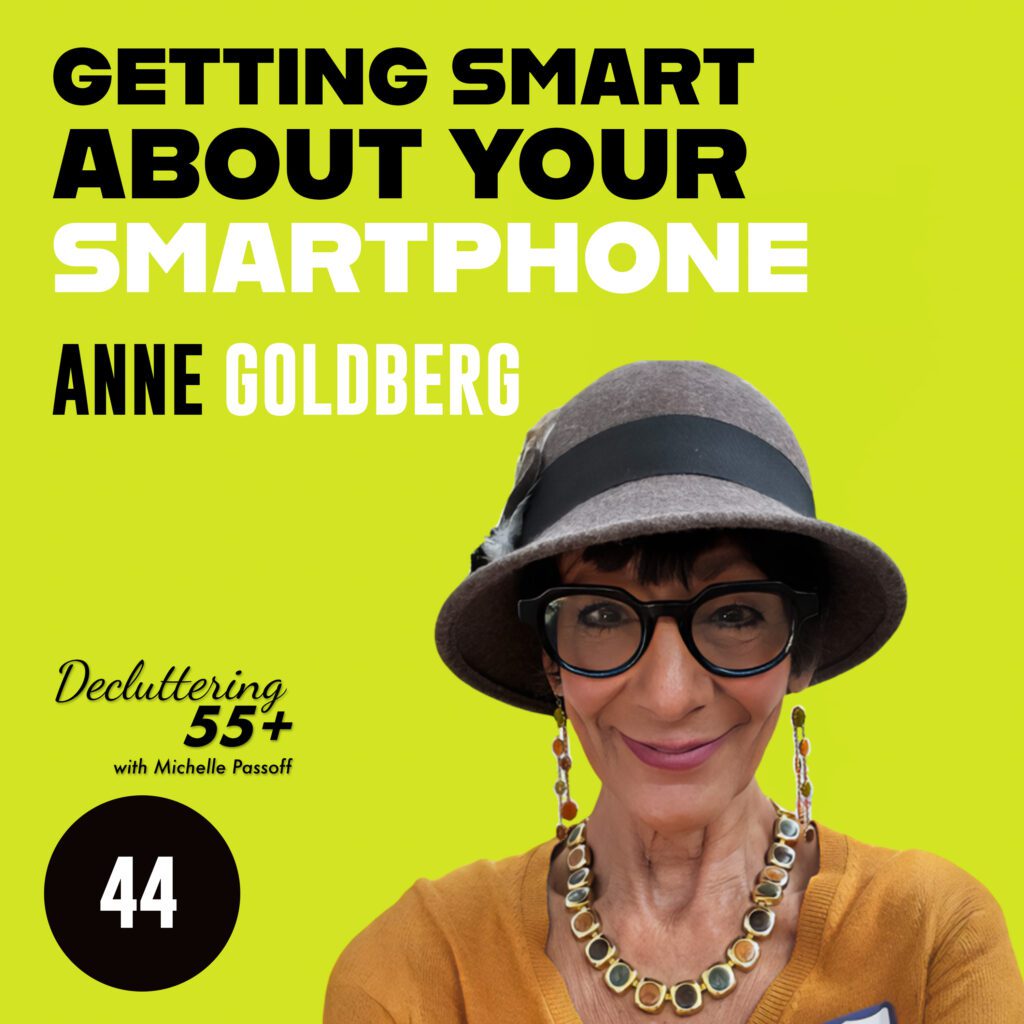
Getting Smart About Your Smartphone with Anne Goldberg

I think that most seniors really understood the need for technology when they recognized that the younger members of their family weren't answering phone calls, only text messages.

Summary

Meet Anne Goldberg, a 72-year-old mom of two and grandma to three, who transitioned from a 23-year career as an executive recruiter to becoming a tech consultant for baby boomers. In this episode, Anne shares her expert advice on digital decluttering—specifically how to clean up and organize your phone for a clearer, more focused life. Join us as we explore how simplifying your digital space can lead to greater peace of mind and productivity.

Picture of Michelle Passoff

Michelle Passoff

Host of the Decluttering 55+ podcast and author of LIGHTEN UP: Free Yourself from Clutter.

More Posts

Ep44

Getting Smart About Your Smartphone with Anne Goldberg

05/16/2025  - Podcast Transcript

Getting Smart About Smartphones with Anne

Michelle (00:31)

Cluttering 55 Plus with Michelle Pasoff, podcast listeners and viewers. We’re delighted to bring you another great show today that will surely make a difference in your life because that is exactly what we aim to do here. We talk with authors, experts, authorities and geeks of all kinds about subjects that can be baffling and confronting and we call that next level clutter. Sure, we talk about conventional clutter like papers, clothes and other stuff.

with the intent that we have nothing in the way of checking off that bucket list of the many things you want to do and all the places you want to go. But that’s not all. We highlight important aspects of your life so that you may not be stuck and hope your conversations are free so your life gets straightened out. We talk about resetting your health, fitness and eating regimen, producing a memoir, tending to relationship matters, deciding where to live and what to do next in life.

getting your financial and legal papers in order, and even pre-planning your final arrangements. There is one more area we include in next level clutter category, and that is digital decluttering. And that’s what we’re gonna talk about today with our guest, Anne Goldberg. Anne is a 72 year old’s mom of two and grandma to three girls. After retirement from a 23 year career as an executive recruiter, Anne became a tech consultant.

She has been doing tech consulting for Baby Boomers for about 11 years now. So we’re all going to take this occasion to pick her brain today about digital decluttering. We’re specifically going to zero in on our phones. So let’s welcome Anne to the show. Hi Anne, how are you today?

Anne (02:11)

I’m so great and so delighted to be here, Michelle. Thank you for having me as a guest.

Michelle (02:16)

Absolutely. Can you tell us, I always like to know how did you make the transition from being a recruiter to being a tech consultant? This is your retirement career, is that what it is?

Anne (02:29)

It was a total life change that happened. I gave up recruiting in the early 90s and then spent some time raising my children really for about 10 years. And then I got back into the job market, started recruiting again in 2009 happened. Everything collapsed. And for the next few years, I floundered. It was very difficult to connect with something that I loved to do. And one day I came home and literally just hit my knees. said, I surrender.

I do not know what I should do, what people would pay me to do that I love, so I’m just going to watch for the signs. Send me the signs. I’m watching. And it took less than 10 days when six seniors that I never met before all called and said the same thing. I hear you teach computers to seniors. Can you help me? And it took until the sixth call for me to go, oh, OK, I know what I’m supposed to do. I’m supposed to teach seniors how to use tech.

And it was a very short time after that that I started to focus in on smartphones as opposed to specifically computers. And that’s how I got started. So I feel very divinely.

Michelle (03:38)

to

look for the answers from the universe and you got that answer. Now in your experience, do you find that the myth is, is it a myth that seniors are resistant to technology or are seniors resistant to technology?

Anne (03:43)

I surely did.

I’m not sure we can make blanket statements. think there are a lot of seniors like myself who took to it very easily. But technology is change and most people don’t like change. And most people our age grew up doing things a certain way and then all of a sudden, well, you don’t do it like that anymore. There’s a different way to do things and it impacts everything from watching movies, watching TV, how we communicate and stay in touch.

with our kids and our grandchildren. I think that most seniors really understood the need for technology when they recognized that the younger members of their family weren’t answering phone calls, only text messages.

Michelle (04:41)

That’s funny. ⁓ what’s the, what’s the attitude you should take on in order to keep moving? Cause technology doesn’t stay stuck. keeps moving and moving and moving. And if you just think that things happen only one way, you’re certainly going to be left behind. Cause even for young people, you know, when I talk to people in their forties now, they think they’re outdated. So it’s always changing. So it doesn’t really pay to have a set attitude of,

the way things are.

Anne (05:13)

I think what’s most important and what I really try to get across to the people I teach is don’t let age define you. It doesn’t matter how old we are. It matters what our attitude is. If you have an attitude that you can, kind of like the little engine that could, I think I can, I think I can, then you can. And it also has to do with understanding how learning happens. Because for anybody, not just seniors, it’s repetitions. You can’t…

Nobody knew how to drive a car the second time they got behind the wheel and you won’t know how to use everything about your phone the second time you pick it up. It takes practice. It takes a commitment and a desire to learn. Just like the same thing with a new language or an instrument.

Michelle (06:02)

So it’s ⁓ changing one attitude for another is ⁓ good advice for tackling any area of clutter. Now, what are the primary problems that people have with using your phone? Because a phone isn’t a phone anymore. It’s not just to talk. ⁓ it has many more purposes these days. What’s new about the way in which you use your phone?

Anne (06:32)

There really isn’t, in terms of actually using it, there’s not that much that’s new. ⁓ We talk, we make calls, we answer calls. Text messaging, while there are more bells and whistles, it fundamentally has not changed since the very first smartphone. Email fundamentally has not changed how we send and receive emails.

and taking pictures, these are the things that most seniors do. Surfing, going on the internet hasn’t really changed except for the safety factor, except that we all have to be much more aware because the bad guys want our money and will stop at nothing to get it. That’s the big thing that’s changed, just the awareness of that. But the actual mechanics of working the phone, most of that hasn’t changed in 15 years.

Michelle (07:27)

Well, a lot of people do as much resistance as they might have to any other aspect of using the phone. ⁓ They all seem to use and know about using the phone to take pictures. How do you organize, sort, and make sense of, and not lose your pictures if they’re all on your phone?

Anne (07:48)

Okay, you won’t lose your pictures. ⁓ People who have Gmail addresses, their pictures are not only backed up, let’s say if they have an iPhone, the picture’s not only backed up in the iCloud, but it’s also backed up into Google Photos. Anybody who has an Android, their pictures are automatically backed up. So if you lose your phone, you don’t lose your pictures. That’s very different from years ago. And in terms of organizing them,

Once you take pictures, it’s important to go back and look at them. I know if I take a picture, I don’t take one, I take seven or 10 because I want to get the right picture. But then I go back in there and I delete six of them or eight of them because they’re not as good as the two that are there and I don’t need them all. So that’s the first thing. When you have a lot of pictures that you keep and you never go through and curate them,

then you just use a lot of space on your phone storage and your cloud storage. So it’s really good to go back in. I know I’ve been amazed that I have videos of my feet. When my somehow the video camera went on when I was walking and I got my feet. But I delete that right away because I don’t want that to take up space on my phone. And then there are albums that you can create. So if you take a vacation,

and you have 180 pictures or a thousand pictures from that vacation, whatever it is, you can organize them very easily into albums. And the phones themselves, both iPhones and Androids, allow you to search pictures by date. So if you know that you did something in 2022, let’s say it was May of 2022, you can go back.

and search by date and find the pictures that you want.

Michelle (09:44)

Well, how do you create an album? That’s something I need to learn to do.

Anne (09:51)

Okay, I’m gonna actually pull up my phone. Let’s see if you can see it Okay, if I go in close you can see it. So now I’m going to open my Photos app now, this is an iPhone and if I scroll up there’s a this is the newest operating system and if I scroll up you can see there are a lot of different options here

And one of the options is right here it says albums. So when you want to create an album, you go to any given picture. So let’s say I have a picture here of a group of me with a group of my friends. Now on an iPhone, there’s a little box with an arrow down at the bottom. Hang on, I just.

Michelle (10:23)

Okay.

Anne (10:46)

press the wrong button. Little box with an arrow and when I tap on that, the screen changes and I can roll it up and there’s an option. Let’s see if I can get that clear. There it is.

Michelle (11:06)

what the option is.

Anne (11:08)

The option is to add to an album. And once I tap on add to an album, there will either be albums already created that I can just tap and it will go in there, or there’s a plus sign up in the top of the screen and I can create a new album and title that ladies luncheon or whatever the title is.

Michelle (11:31)

that’s, I learned something now. I’m gonna start doing that. That’s a great way to start sorting your stuff. And you can retrieve it by, retrieve those pictures by the name of the album.

We’ll also copy onto your computer as well.

Anne (11:48)

Not necessarily. I have an iPhone and a PC. That’s like Macy’s and Gimbals. They don’t talk to each other. So I can’t. Yeah, I guess so. Well, it’s like Apple and Android. You know, they don’t talk to each other that much. If I had an iPhone and an Apple computer, then everything is automatically the same. And with certain settings, if you have an Android and a PC,

Michelle (11:57)

for that. ⁓

Anne (12:18)

you can back things up. But remember, Androids are always backing up to Google, always, because it is a Google-based device. So you can always find your pictures in Google Photos.

Michelle (12:32)

If you have an Android.

Anne (12:34)

if you have an Android or if you have an iPhone with a Gmail address, which I do. So every time I take a picture with my iPhone, it is saved in my Google Drive, my Google pictures. And interestingly enough, a few years ago, well, like 10 years ago, I thought I lost pictures from a trip to Europe. I was very upset. I couldn’t find them anywhere. And then I went and looked on Google Photos and I went back to 2014.

and I found my pictures. Every one of them was still sick. ⁓

Michelle (13:08)

You can wipe your eyebrow for that, which you bring up an important point because you know what you’re doing so you knew where to try to go to retrieve it. If you ⁓ have a problem with your iPhone or your Android phone, if you have a problem with your phone, who do you go to for help if you run into a snag?

Anne (13:28)

Well, me, of course. Reach out to me at takethisphoneandshoveit.com. you know, of course, if you have grandchildren over the age of 10, they can probably help you find those things, you know, or your children. are classes if you have iPhones, there are classes at Apple. What I have found, though, is that most public classes

Michelle (13:31)

You

Anne (13:56)

i.e. they’re not specifically for seniors, they go too fast. Most of us over the age of 65 or over the age of 70 need to go step by step, repeat, step by step, repeat, and repeat again so that it becomes more familiar and less scary. So it’s important to connect maybe with local community centers for seniors.

They may have classes that are designed for people who need to take it a little more slowly than some of the general places where you can go for smartphone instruction.

Michelle (14:36)

You can also lean on your kids, lean on your grandkids. ⁓ know for me, I have an Apple phone and I have ⁓ Apple support on Fast-Tile. ⁓ think that Best Buy has the Geek Squad. It’s very useful to belong to the Geek Squad because they can answer a lot of your phones. the point is, don’t be afraid to ask ⁓ for help. ⁓

Anne (15:06)

don’t think you’re stupid because you don’t know it. If you go on YouTube and search for teenagers trying to use a rotary phone, you will be laughing like crazy because they don’t know what to do. They’re tapping. They can’t figure out that you dial. Now, they’re not stupid, but they’re faced with something about which they know nothing. And that’s how it is with most seniors in technology.

and most of the time people just come to the conclusion, I’m too dumb. No, not at all.

Michelle (15:39)

Well, that’s the very first thing I tell people when it comes to decluttering is if you have thoughts that are negative and don’t serve you and don’t get the job done that you want to have done, that’s clutter too. So ditch that belief and get another one and say, I’m a learner and it doesn’t matter what age that is. So today we have, and I appreciate the time that you took out of your busy day consulting seniors on how to work with their technology. I hope you’ll come again and make us smarter.

Thank you for being with us.

Anne (16:10)

We’d love

to. Thank you, Michelle.

Michelle (16:14)

If you want to connect with Anne, go to Anne at TakeThisPhoneAndShovet.com. That’s the name of our upcoming book, by the way, so be on the lookout. If you want to connect with us at Decluttering 55 +, go to www.decluttering55plus.com and click on the Let’s Connect button and sign up for notifications from us for news you can use. Let’s grow this community.

Then subscribe and follow and like us on Facebook and Instagram, as well as YouTube. My book, Decluttering 55 +, Wisdoms to Create a Legacy, Not a Mess, has rolled off the presses and it’s an illustrated spiral book that stands on a desk or dresser. Turn it to any page and it will prompt you to get your questions answered, get in action, and get things done on next level clutter. Buy one for yourself, your friends, your family.

It makes great sense for you and it makes a great gift for others. So go to amazon.com or www.layitflat.com to make your purchase. Okay, fellow Baby Boomers, that’s all we have time for today. So from Decluttering 55 Plus with Michelle Paslov, we wish you a clutter free day.